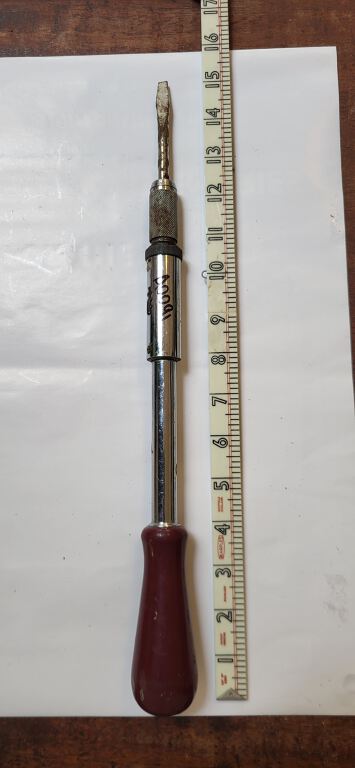
Borrow Ratched screwdriver
All items from Aberfeldy Tool LibrarySpiral ratchet screwdriver, also known as a push screwdriver or Yankee screwdriver. Here's how to use it:
1. Insert the Bit:
Pull back the sleeve at the chuck end of the screwdriver and insert the appropriate bit (e.g., flathead, Phillips) into the collet. Rotate the bit slightly to ensure it engages securely.
2. Select Direction:
Locate the selector switch or collar near the chuck. This switch allows you to choose the direction of rotation (clockwise for driving screws, counter-clockwise for extracting screws).
3. Drive/Extract Screws:
Driving Screws: Set the switch to the "drive" position (usually forward). Place the bit into the screw head and apply downward pressure on the handle while pushing it towards the bit. The spiral mechanism will rotate the bit, driving the screw in.
Extracting Screws: Set the switch to the "extract" position (usually backward). Place the bit into the screw head and apply downward pressure while pushing the handle towards the bit. The mechanism will rotate the bit in the opposite direction, extracting the screw.
4. Ratcheting Action:
The tool's ratcheting mechanism allows you to maintain continuous contact with the screw head without having to reposition your hand after each turn, as it only turns the bit in the selected direction as you push and allows the handle to return freely.